Run your whole tournament
from one laptop.
Entries, weigh-in, brackets and a livestream. No spreadsheets, no crew.
Free during Beta. Access is by request.
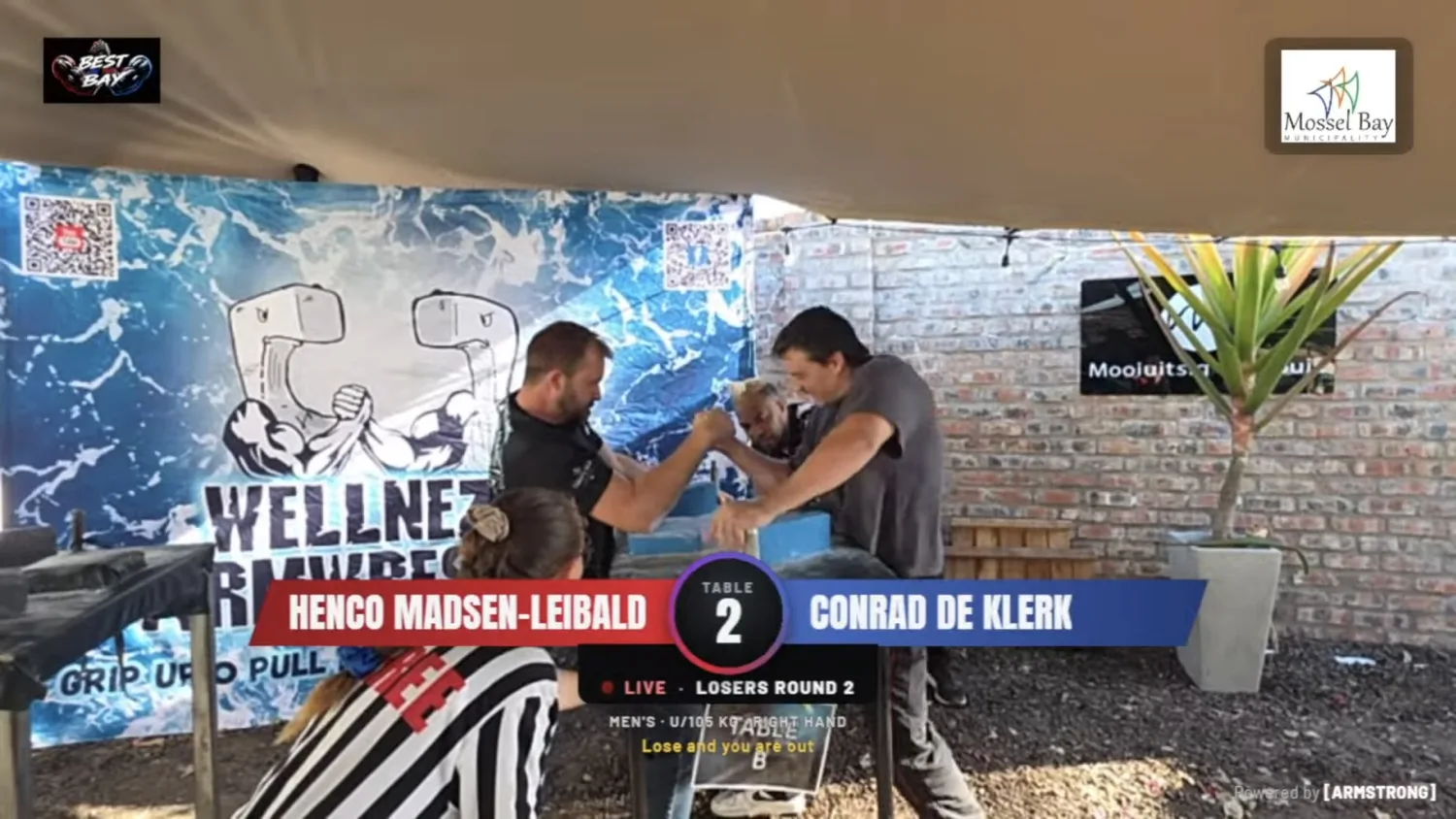
Already run on Armstrong. Best in the Bay, 10 October 2026: about 45 pullers, 2 tables, 23 classes and a livestream. How it went
Run a tournament right here.
A working copy of the console. Made up pullers, nothing saved.
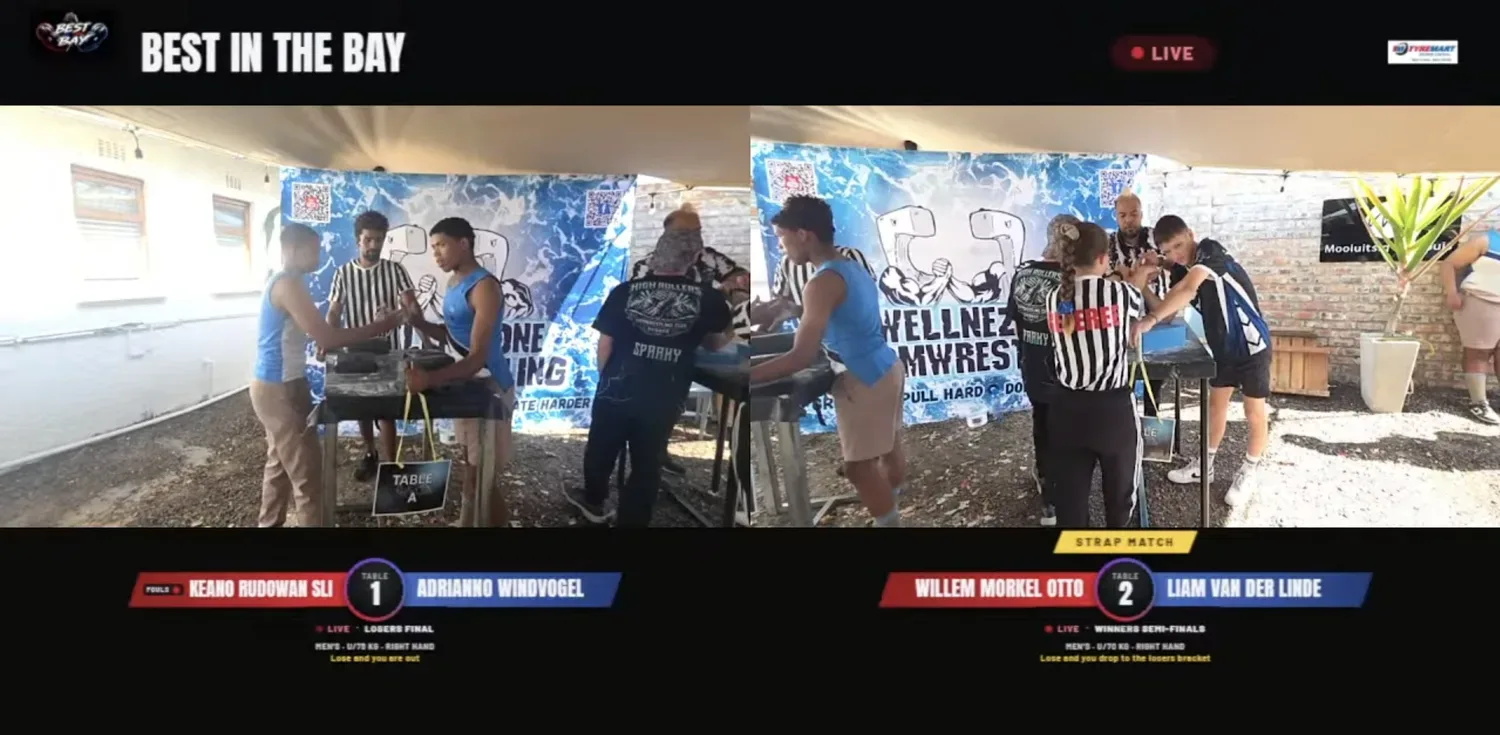
What your viewers see.
A phone on each table and one laptop. You choose what goes out.
A TV production, from a phone.
A normal stream needs a crew. Armstrong needs a phone on each table.
- Connect YouTube. One sign in, in the console.
- Add a phone to each table. Scan a QR code. It never changes.
- Start the stream. The scoreboard comes from your bracket.
You need a phone per table, one laptop with OBS, a YouTube channel that can go live and steady upload at the venue. Included during Beta. YouTube only for now.
Free bracket generator
2 to 128 players. Print and share. No account.
Every feature, in one list.
Tap Try it to test one in the console above.
Before the day
- Public event page with poster, date and map
- Entries with a signed waiver and emergency contact
- Walk-in QR sheet for the door
- Entry fees your way: cash, EFT or your own link
- Review before it goes live, with feedback by email
- Message everyone who entered
- Start alert for anyone who tapped Notify me
- One watch link that goes live with your stream
Weigh-in and classes
- Dynamic brackets that fit who shows up Try it
- Fixed, open and custom classes, or a super match Try it
- Pullers pick their class, one up, or Open
- Warning if someone enters too many classes
- Classes that cannot run are flagged early
- Children never face adults. Men and women never share a class
- Anyone without a class is shown, one tap to place them
- Weights that look wrong are flagged
- Type a name to find their Armstrong account
Running the tables
- Up to four tables from one screen
- Tap the winner. One tap undoes it Try it
- Fouls and strap matches at the table
- Referees rotate fairly
- Late entries join a running class
- Add or remove a table mid event
- Nobody is called to two tables at once
- Rest timer between super match rounds Try it
- Armageddon: one open race, the winner stays on Try it
- Runs offline. A cloud copy lets another laptop take over
- Live board of every table and who is next
The stream
- Phones are the cameras. Add them by QR code
- Each camera's code never changes for the event
- Plain words health check with a Fix it button
- A dropped stream restarts by itself
- One microphone on air. The rest stay muted
- Scoreboard over every table
- The champion on the table glows on the stream
- Split screen for up to four tables
- Starting soon and Up next cards
- Speaker bar and camera while someone talks
- Break, results, prizegiving and thank you cards
- Podiums build up place by place
- Your logo and up to three sponsors all day
- Set up in the console, including YouTube and OBS
Fans and followers
- Follow a puller with no account
- A message five minutes before they pull, with a watch link
- Results are never sent to followers
- A follow link pullers can share with family
- Pullers see and remove their followers
- Follow a whole event
Afterwards
- Printable brackets and a results sheet
- Results published to the event page once approved
- Results are kept even if you forget to publish
- A record on every puller's profile
- Entries stay private to you and Armstrong
A production crew, without the crew.
Free during Beta.
- Unlimited events and tables
- Automatic classes and brackets
- Public event page, entries and results
- Entry fees your way
- Livestream with a scoreboard on every table
A federation or promotion?
Tools for federations are coming soon.
Straight answers.
Do I need internet at the venue?
No. It runs offline. Open Armstrong once on the laptop beforehand.
How do competitors pay entry fees?
Your way: cash, EFT or your own link. Armstrong takes nothing during Beta.
Does Armstrong replace my federation?
No. Armstrong does not sanction events or set rules. If your federation sanctions your event, its name shows on the event page.
Can I livestream my event?
Yes, included in Beta. Phones on the tables are the cameras, and the stream goes to YouTube with a scoreboard over every table.
Guides for organisers
Ask for access.
Organiser access is by request. We read each one and reply by email.
No account yet? Leave your details instead.
We will reply by email.
Run your next event on Armstrong.
Organiser access is by request. Your club can be on the map today.